
How to Claim Your Income Tax Refund for FY 2024-25
If you've paid more in taxes than your actual liability during the financial year, the good news is—you're eligible for an income tax refund. This typically happens when excess TDS, advance tax, or self-assessment tax is paid.
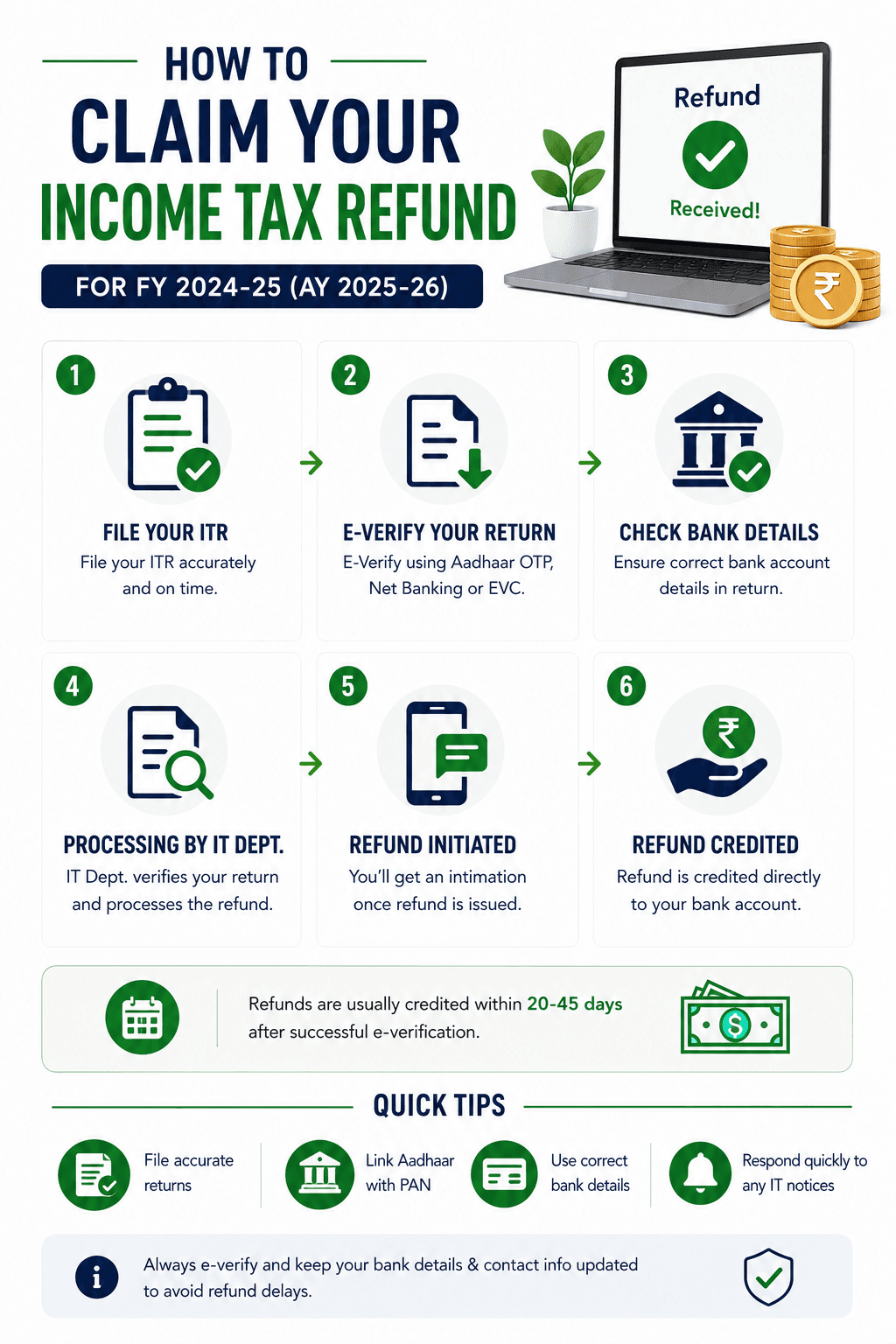
If you've paid more in taxes than your actual liability during the financial year, the good news is - you're eligible for a refund! This typically occurs due to excess TDS deductions, advance tax payments, or self-assessment tax paid above your actual tax liability. This simple guide will walk you through everything you need to know: from eligibility to step-by-step filing instructions and refund tracking tips.
What is an Income Tax Refund?
When your total tax paid (via TDS, advance tax, self-assessment) is more than your tax liability, the Income Tax Department owes you the difference - this is your income tax refund.
Common Scenarios for Refund Eligibility
- Your employer deducted excess TDS from your salary
- TDS deducted by multiple banks/accounts where you had low payables
- You made advance tax payments higher than your liability
- You claimed deductions/exemptions that weren't factored into your TDS
- You forgot to claim deductions or exemptions earlier
How to File ITR to Claim Refund
- Login to the Income Tax e-Filing Portal
- Go to e-File > Income Tax Return > File Income Tax Return
- Select the assessment year (current: AY 2025-26)
- Select your filing type (individual/business etc.)
- Fill in your income details, deductions, and tax paid
- Verify all information carefully before submitting
- Verify the return (e-Filing OTP, net banking, etc.)
- Submit and wait for processing
How to Get Your Refund?
- The Income Tax Department verifies the refund amount due
- Refund is sent via direct bank transfer (EFT/NEFT)
- Ensure your bank account is pre-validated and linked with PAN
Refund Timelines
- Usually issued for processed returns (30-45 days after ITR is verified). Delays may occur due to incorrect bank details or manual processing requirements.
How to Track Your Refund Status
Option 1: Income Tax Portal
- Go to the Income Tax e-Filing portal
- Login > View Returns/Forms > Select ITR > Click "Refund Status"
Option 2: NSDL Website
Visit tin-nsdl.com > Enter PAN and Assessment Year
What to Do if Refund is Delayed or Not Credited?
- Check for mismatch in bank details or PAN
- Ensure ITR is verified
- Follow up with the jurisdiction-specific help desk if long-pending
- Contact the CPC helpline or raise a grievance
Final Thoughts
A refund is not just a return of excess tax—it's your money, and claiming it is your right! Timely ITR filing, accurate details, and a bit of patience can ensure you always receive your refund.
Need assistance with income tax matters? Connect with our team and let us ensure you get rightful refunds quickly and easily.
Frequently Asked Questions
Who is eligible to get an income tax refund?
Any taxpayer who has paid more tax (TDS, advance tax, etc.) than their actual liability is eligible.
Is it mandatory to file an ITR to get a refund?
Yes, the only way to claim your refund is by filing your Income Tax Return.
How long does it take to receive a refund after filing ITR?
Generally between 20–45 days after successful ITR verification.
What happens if I enter the wrong bank details?
Your refund may fail. You'll need to raise a refund reissue request after correcting bank info on the portal.
How do I check the status of my refund?
Log in to the Income Tax e-filing portal or visit the NSDL TIN website using your PAN and assessment year.
Can I get a refund if I forget to claim deductions during the year?
Yes, you can claim all eligible deductions while filing your ITR, and if this results in excess tax paid, you'll get a refund.
Will my refund be taxed again?
No, the refund itself is not taxable. However, any interest received on a refund is taxable.
What is a refund reissue request?
It's a request raised if your refund failed or was returned due to incorrect bank details or other issues.
Can TaxSavvy help me get my refund faster?
Yes! TaxSavvy ensures error-free filing and verification to speed up refund processing.
Is Aadhaar OTP mandatory for ITR verification?
No, you can also verify via net banking, EVC, or by sending a physical ITR-V to CPC.